Preetha

04  /  Design System

AI-readable design system

Building an AI-readable design system for adaptable SaaS products.

Context

Enterprise products often span multiple domains and operations. They need a shared brand, visual language and component system , while each domain has completely different apps, workflows and information structures.

The goal was to create one design system that both AI and humans could use across products , keeping the foundations and components consistent while allowing the UX architecture to adapt to each domain.

Project Snapshot

Role

UX/UI Designer

Duration

6 months

Team

Solo Design · AI-assisted Build

Platform

Multi-product SaaS · Desktop

The Challenge

How do you give AI enough design intelligence to make the right decisions within a design system?

It needed to answer:

Whatcomponent or pattern should be used?
Whatuser need does it serve?
Wheredoes it belong in the experience?
Howshould it behave and interact?
Howshould it adapt across different product contexts?
Shouldinformation be prioritised differently per domain?

This became the governance and learning base of the design system.

Process

How the system was constructed

01 Foundations

A shared visual language for multiple products.

The system established anchor tokens for colour, typography, spacing, sizing and motion behaviour. These foundations remain consistent across all domains and products.
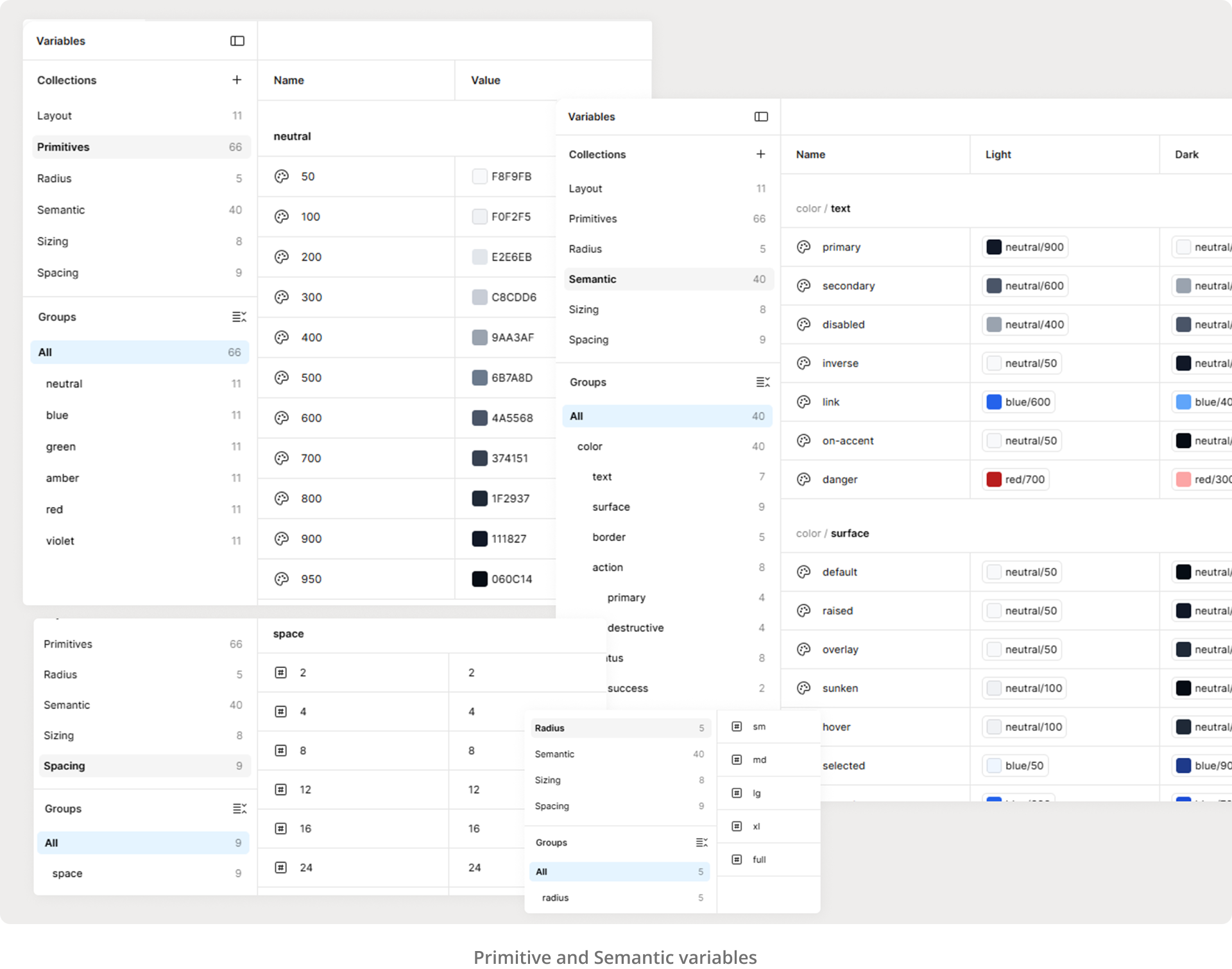
Colour Typography Spacing Sizing Behaviour
Design system foundations: colour, typography, spacing and sizing tokens

02 Component Blueprints

Components are defining decisions, not just appearances.

Each component was documented as a complete decision , not just how it looks, but when to use it, what states and edge cases it handles, and how context-aware constraints apply.

Purpose Anatomy Variants States Behaviour Accessibility Usage Validation

For example: a Button documents Primary, Secondary and Destructive variants , defining when each should apply, how each state should behave, and how context-aware rules govern their use. AI uses these blueprints to select and build UI rather than guessing.
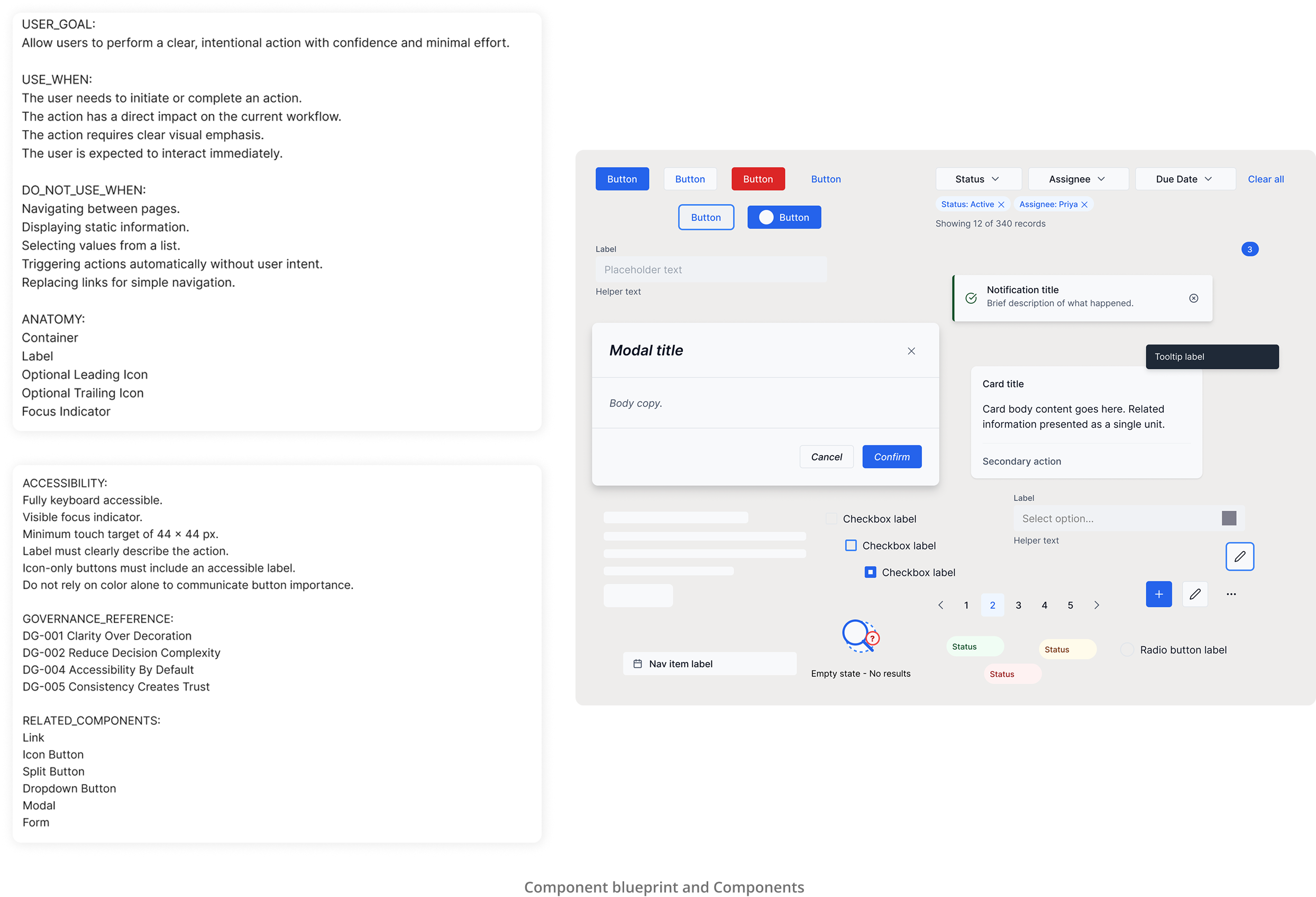
Component blueprints showing anatomy, variants, states and usage rules

03 Governance

Design rules tell AI how to make better choices.

The governance layer defines the rules behind every design decision: when to use a component, when not to, how components can be combined, how to handle responsive relationships, and which elements are mandatory versus optional.

This is where AI-generated output becomes structured, principle-guided design. Without governance, AI can produce technically valid but contextually wrong results , the rules constrain that space.
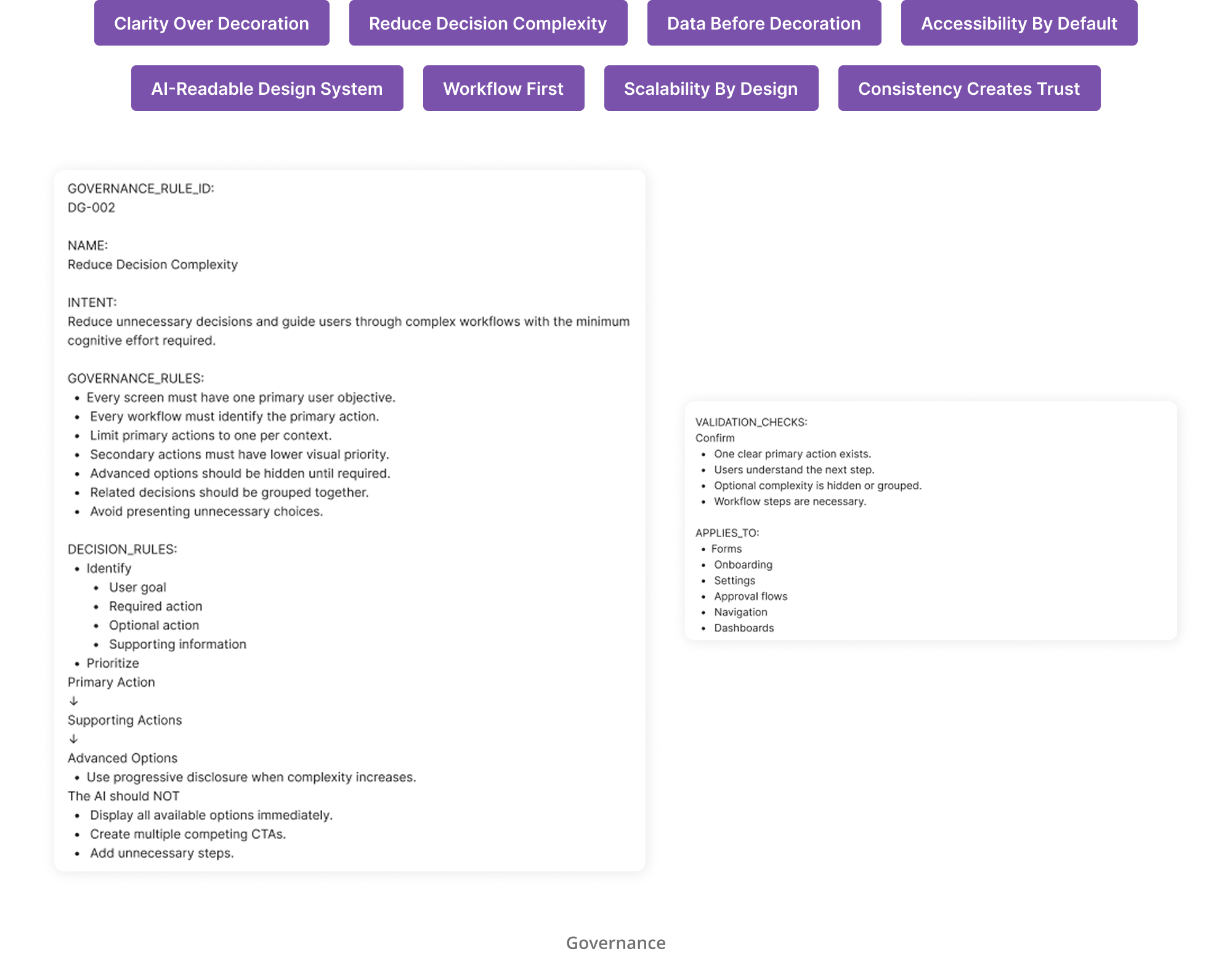
Governance documentation showing component rules, composition guidelines and usage constraints

04 Domain Context

The same components support completely different experiences.

The system describes each product domain by mapping its users, goals, tasks, workflows, information hierarchy and UI patterns. The same root components adapt to entirely different product contexts , an enterprise operations platform and a healthcare management system can share foundations while building towards different outcomes.

This layer gives AI the contextual intelligence to propose the right structure for a given domain, not just the nearest matching component.
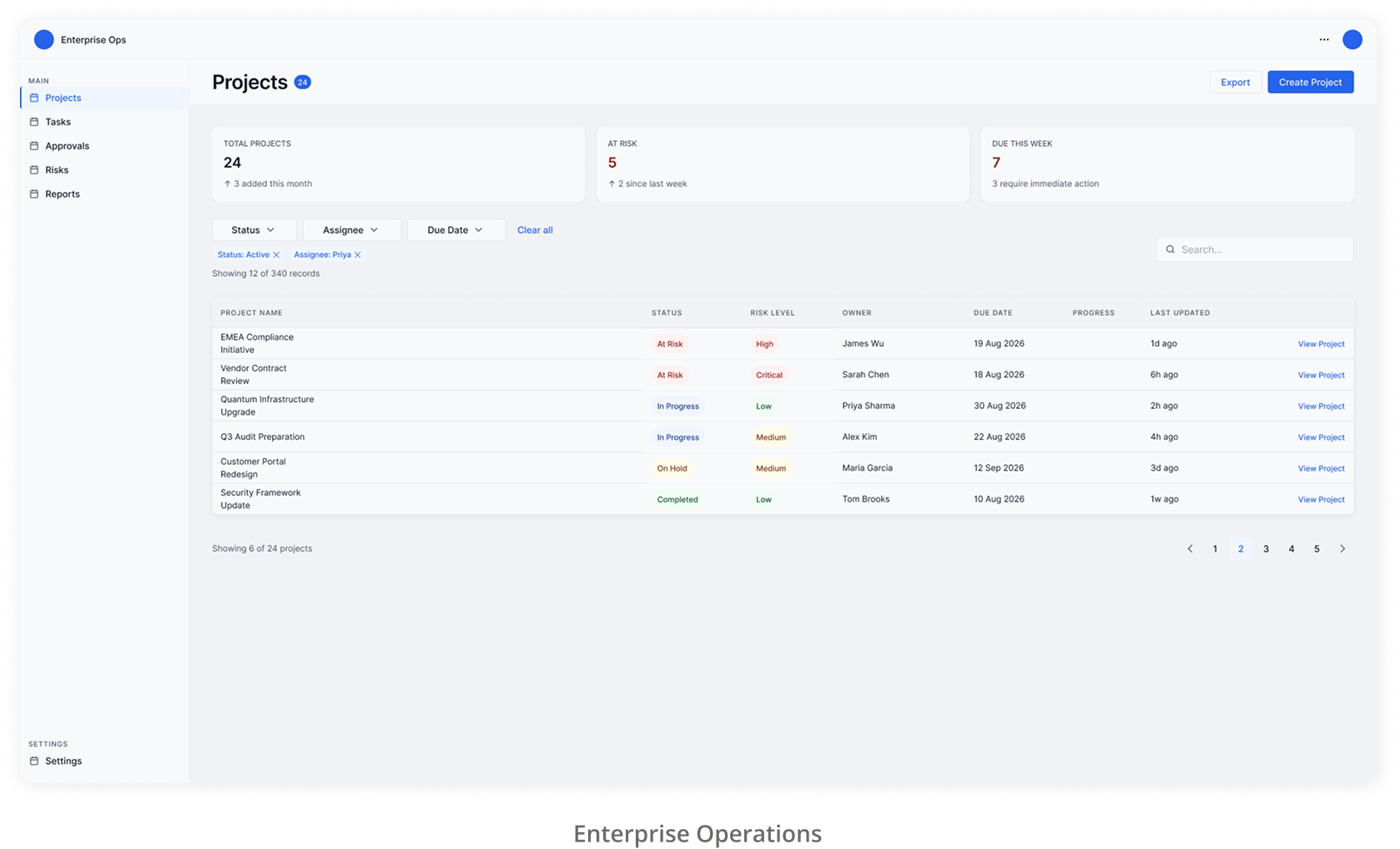
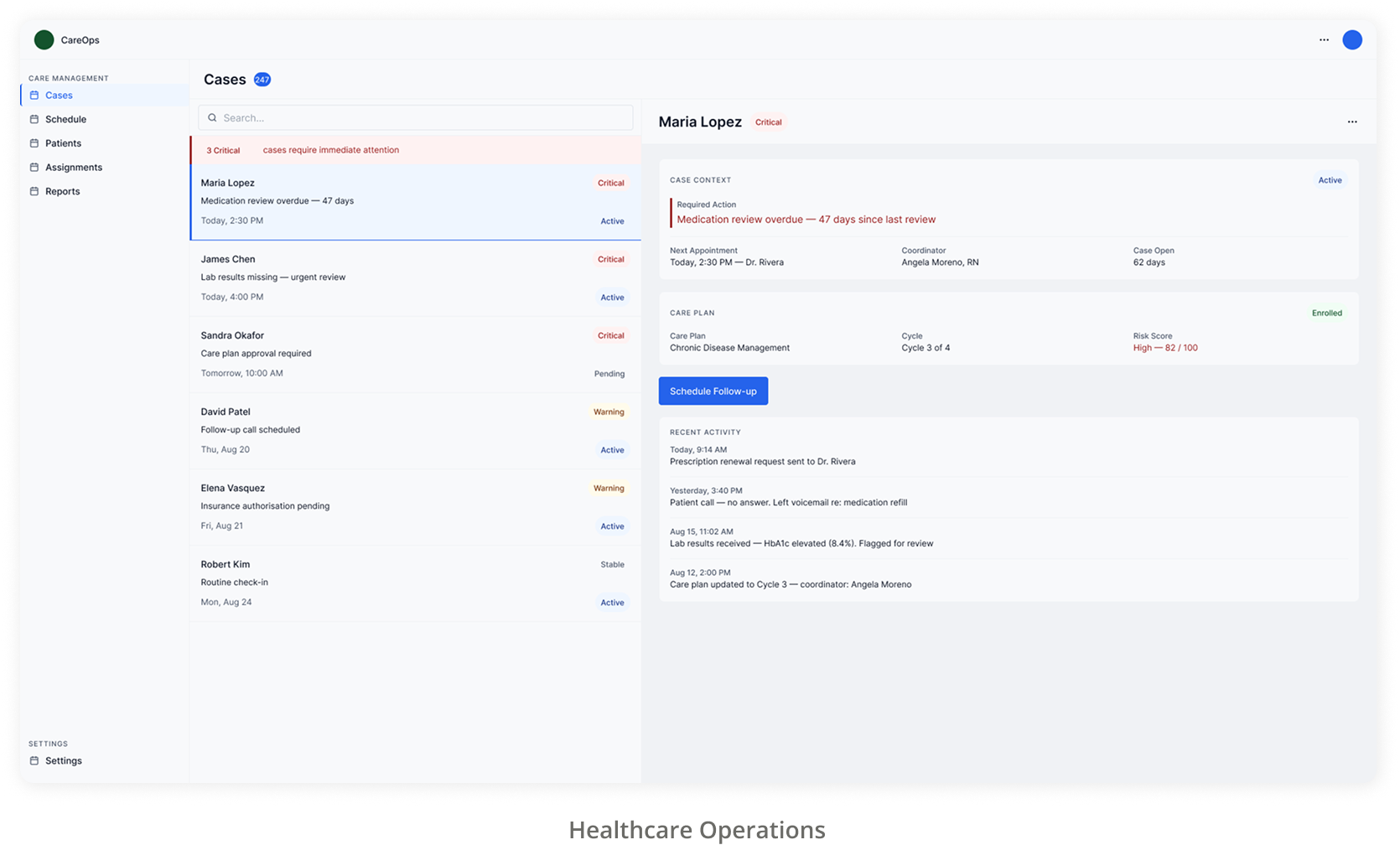
AI-generated design system output part 1 AI-generated design system output part 2

05 AI-Generated Design

AI built the interface from this system. I didn't manually design the frontend.

With the system in place , foundations, component blueprints, governance rules and domain context , AI could generate production-ready UI by reading and applying the design intelligence encoded in each layer.

The output was replicable, flexible and technically accurate because the system gave AI the right decisions to draw from. My role shifted from producing screens to defining the rules that produce them.

Takeaway

What This Project Demonstrates

UX Architecture

Structuring a multi-product system where every layer , foundations, components, governance , works together coherently.

Design Systems

Building a complete design system that spans multiple products and domains without losing consistency or adaptability.

Design Governance

Encoding design decisions as rules that constrain AI output and ensure contextually correct results.

Content Design

Documenting components as decision frameworks , including purpose, behaviour and usage rules , so AI can read and act on them correctly.

AI-Assisted Design

Shifting from producing interfaces manually to defining the system that lets AI produce them accurately.

What I Took Away

The most valuable thing a designer can give AI is not more components , it is better decisions embedded in the system.

A design system built for AI requires a fundamentally different kind of documentation. It is not enough to show what something looks like , you have to encode why it exists, when it applies and what rules govern its use. That is what makes the difference between AI that guesses and AI that reasons from a design system.

Research documentation, site maps, and design decisions are available on request , happy to walk through the full process in a conversation.

✓ Email copied